Checkout Settings
Customize Square Hosted Checkout appearance and payment methods. Available in Live mode under Payments Square Connect → Checkout Settings (Beta).
Merchant settings
Open Payments Square Connect → Checkout Settings (Beta) → Merchant settings to enable wallets on Square hosted checkout.
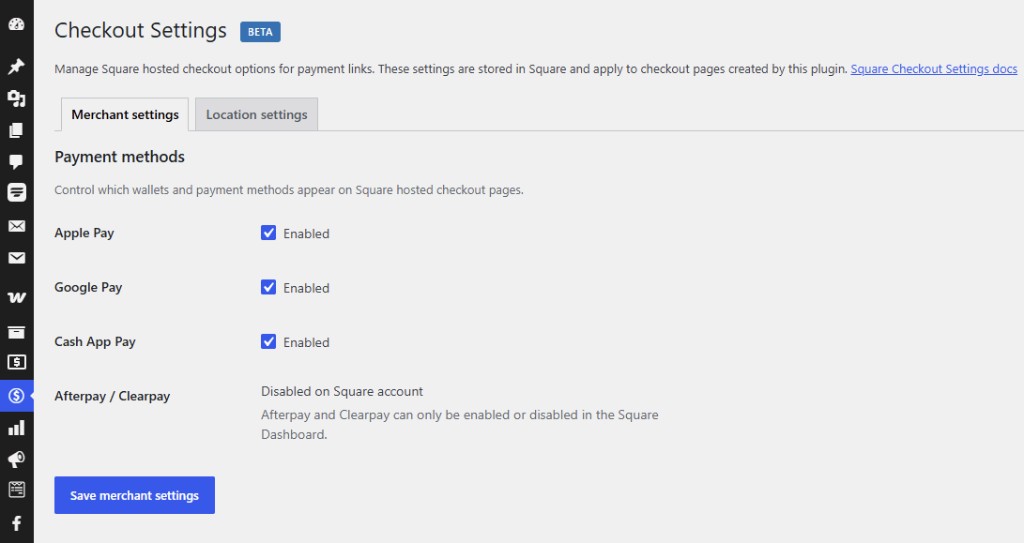
- Apple Pay
- Google Pay
- Cash App Pay
Enable the wallets you want customers to see on Square's payment page.
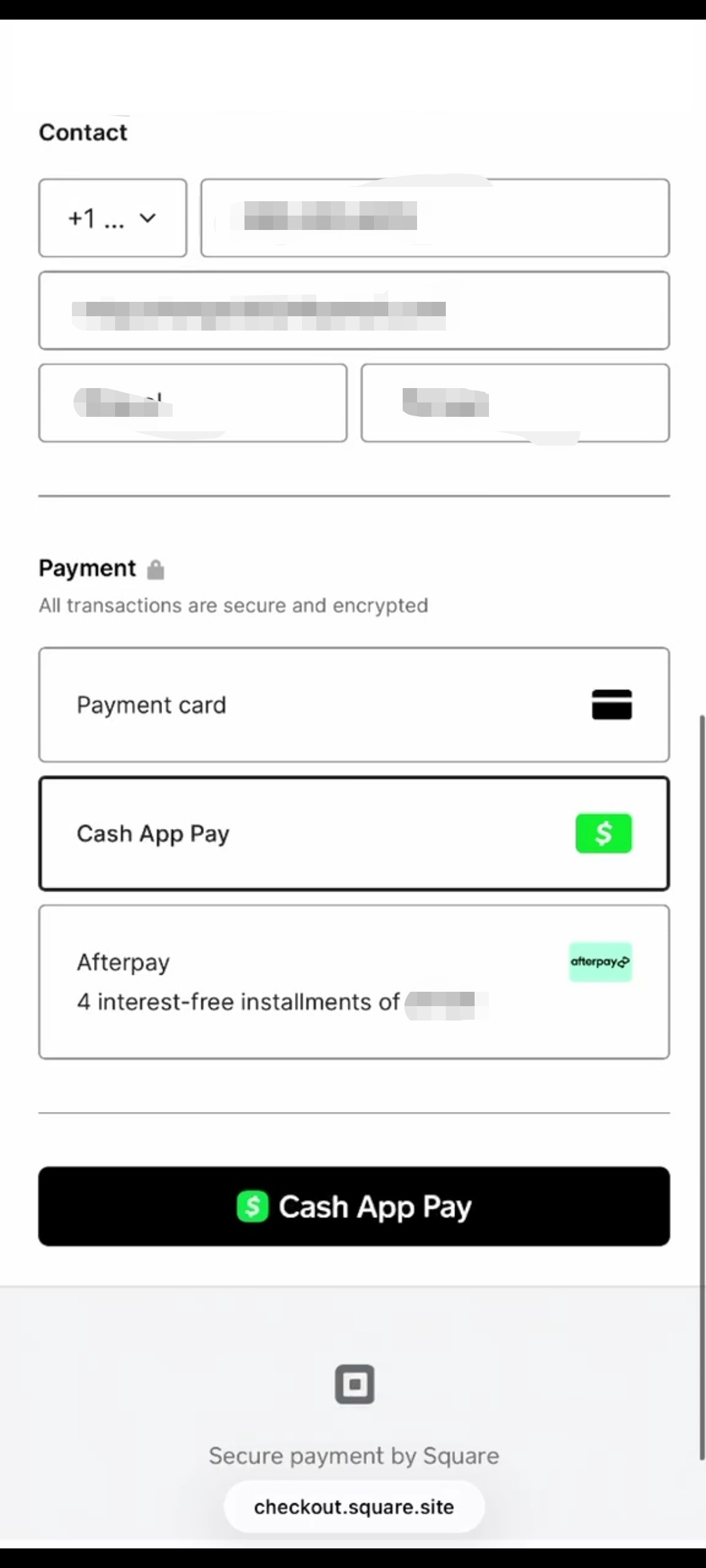
Afterpay / Clearpay
Enable Afterpay in your Square Dashboard. It appears on hosted checkout when configured.
Branding and policies
Depending on your Square account, you may configure:
- Tipping
- Brand colors and logo
- Return policy and other checkout text
See Square Checkout Settings docs.
!!! note "Sandbox" Most checkout customization applies to Live mode. Use Sandbox for payment flow testing.
Applies everywhere
Checkout settings apply to:
- WooCommerce checkout
- Pay for Order links
- Payment link buttons
- Contact Form 7, WPForms, and Fluent Forms (one-time payments)