WPForms Square Payment
Accept Square payment from WPForms via Square Hosted Checkout — no WooCommerce required. Same Square connection as your WooCommerce payment gateway.
Setup
- Connect Square in Getting started.
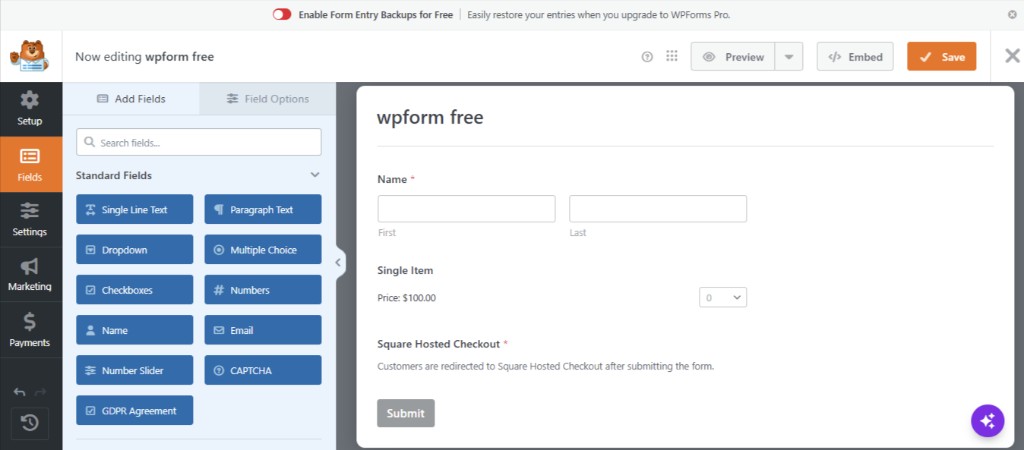
- Edit your form in WPForms.
- Add the Square Hosted Checkout field.
- Under form Payments, enable Payments Square Connect.
On the live site
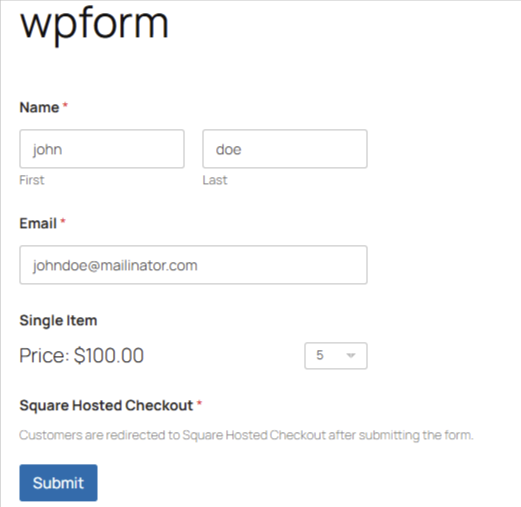
Publish your form and add it to a page. Visitors fill in their details and submit — they are redirected to Square Hosted Checkout to pay.
Payment types
- One-time payments
- Subscription signup (with Square subscription plans)
Wallets
WPForms one-time payments use the same wallets as WooCommerce — configure under Checkout Settings.
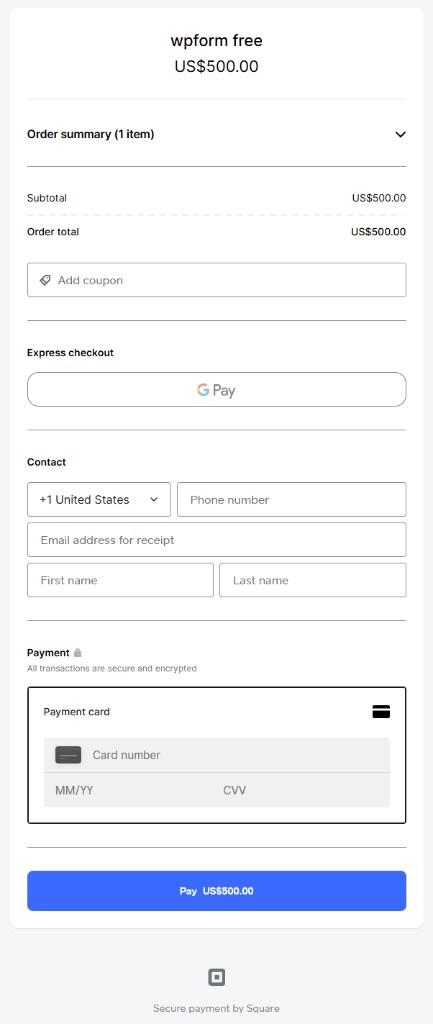
On Square Hosted Checkout, customers can pay with card, Google Pay, Apple Pay, and other options you enabled in Square:
Refunds
Refund WPForms payments from WPForms → Payments — open a payment and click Refund. The refund is sent to Square using the stored payment ID.
If the Square payment ID is not saved yet, wait until the customer returns from Square Hosted Checkout, then try again. You can also refund in the Square Dashboard.