Fluent Forms Square Gateway
Fluent Forms Square payments via Square Hosted Checkout — works with Fluent Forms free and Pro (no extra Fluent Forms license required).
Enable the gateway
- Connect Square in Getting started.
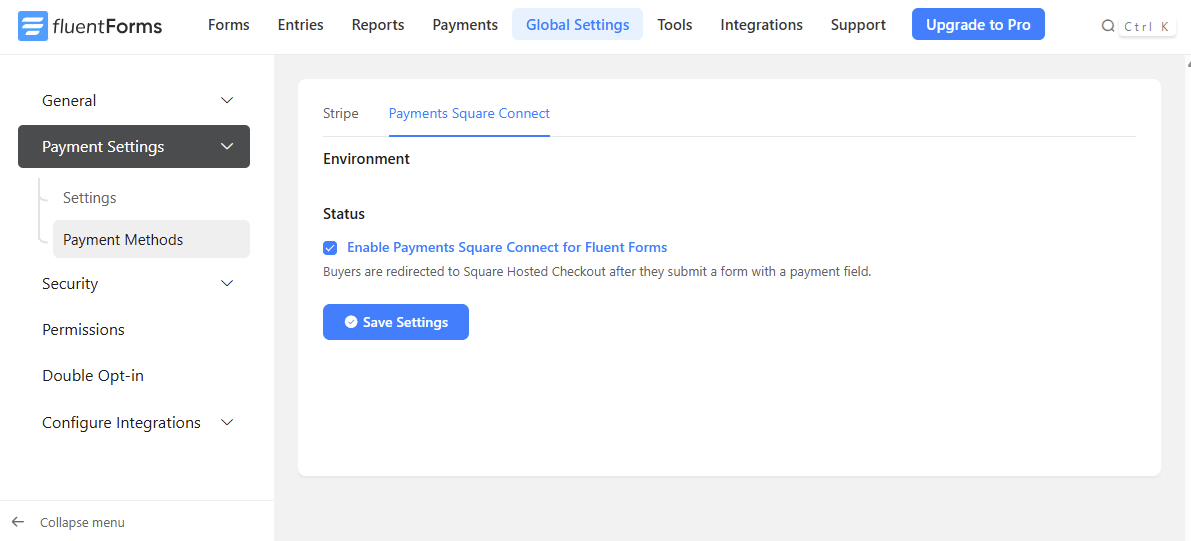
- Go to Fluent Forms → Global Settings → Payment → Payment Methods.
- Enable Payments Square Connect.
Build your form
- Add a Payment Method field and select Square Hosted Checkout.
- In the field settings, enable Payments Square Connect under Payment Methods.
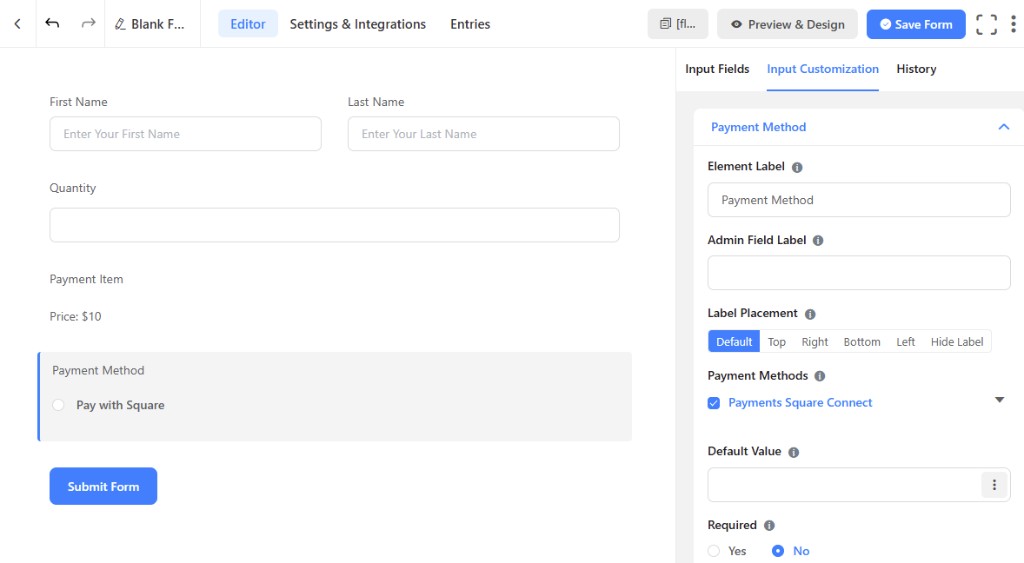
- Add payment fields as needed:
- Custom Payment Amount
- Payment Item (single, select, radio, or checkbox)
- Quantity
!!! tip "Multiple items" Link Quantity → Target Product in field settings when you have multiple payment fields on one form.
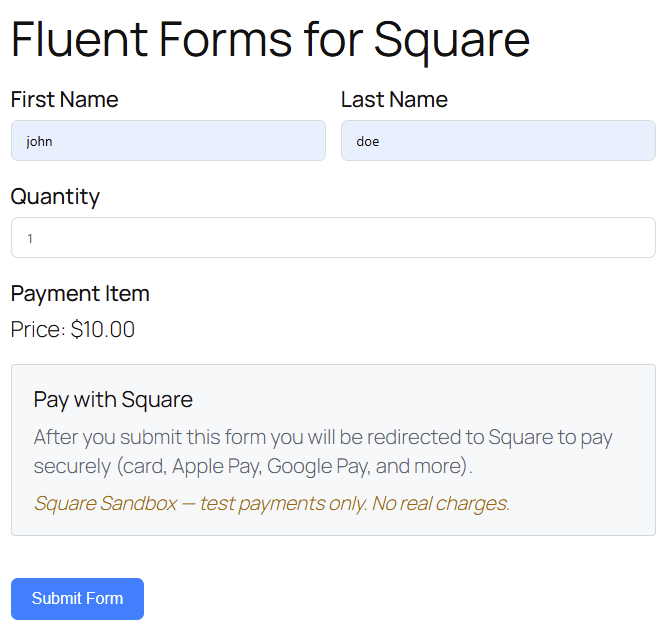
Visitors see Pay with Square on the form and are redirected to Square Hosted Checkout after submit.
Totals on Square
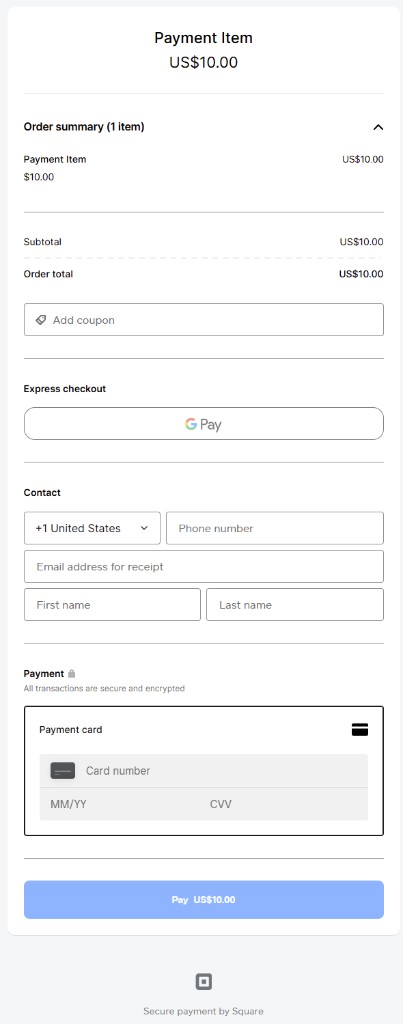
Square charges the same total as the Fluent Forms payment summary:
- Price × quantity
- Multiple items and options
- Correct line item names on Square's order summary
After submit, customers pay on Square Hosted Checkout — line items and totals match the form.
Wallets
Wallets follow the same Checkout Settings as WooCommerce.
Refunds
Refund Fluent Forms payments from the submission payment screen in wp-admin — change the transaction status to Refunded (or partial refund). The plugin sends the refund to Square before updating Fluent Forms.
If Square payment ID is missing, wait for the customer to return from Square Hosted Checkout, then try again. You can also refund in the Square Dashboard.